 Hurricane for Autodesk® AutoCAD®
Hurricane for Autodesk® AutoCAD®
Hurricane for Autodesk® AutoCAD®
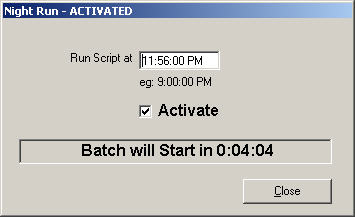
Night Run lets you schedule Hurricane to create and run a batch script at a specific time.
Before Night Run starts, make sure:
1) The Queue contains only the files you want to process.
2) The script shown in Hurricane is the script you want to run.Important: Night Run skips the normal file verification step when the script starts. To avoid failures, run Verify first and confirm all files are available and writable.
If a file is missing, processing may stop when Hurricane reaches that file. Read-only files may open but changes will not be saved.
You can continue editing the Queue and script right up until the timer expires.